For Small Business Owners & Solopreneurs
Build your small business without wasting money on software you do not need.
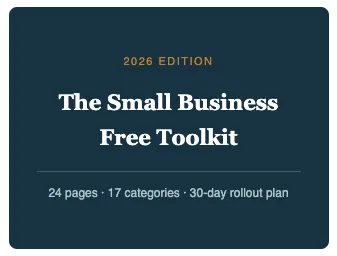
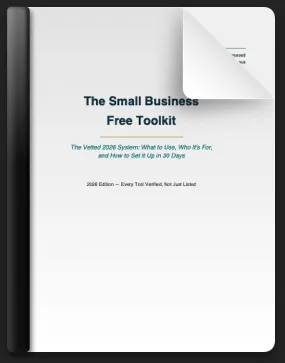
The Small Business Free Toolkit is a vetted 2026 guide featuring 17 essential categories of free business tools, step-by-step setup checklists, honest warnings, budget recommendations, and a 30-day rollout plan. Learn what to use, what to avoid, and how to build a smarter business foundation for just $27.
You've spent more hours researching "free tools for small business" than you'd like to admit.
You open a new tab, search it again, and land on the same recycled listicle — written by someone who's never run a business, updated by no one, half the links now dead or gated behind a paywall.
You sign up for a "free forever" tool, build your whole workflow around it, and three months later it's suddenly $19/mo.
You've got five browser tabs open comparing CRMs and you still haven't picked one.
You know AI tools are supposed to save you time now, but you don't know which ones are actually worth learning versus which are hype.
Every "resource guide" you find is either years out of date or secretly just an ad for one product.
None of this is your fault. The tools change constantly. What's free in January is a paywall by June. You're not behind — you just don't have hours a week to babysit a research project that isn't your actual business.
What you actually want is simple: a stack that just works, chosen by someone who's already tested it.
Not forty options. Not a 2022 list with three dead links. One clear answer per category, an honest explanation of the tradeoffs, and a plan for setting it all up without losing a weekend to it.

"I've been running small businesses for over 20 years. I've paid for tools I didn't need and skipped free ones that would've saved me hours. This is what I'd hand a friend starting today."
That's exactly what The Small Business Free Toolkit is — a complete rebuild, done in 2026, of the free stack I'd personally set up if I were starting from zero right now.
Not a link list. A system.

Why this matters more in 2026 than it used to
The free-tool landscape resets faster every year. Mailchimp's free plan quietly shrank to a fraction of what it used to offer. Wufoo went stale. Meanwhile, an entirely new category — free AI tools — showed up and now does the work of a part-time assistant, if you know which ones to use. A guide from even a year ago misses all of this. Using outdated free-tool advice doesn't just waste your time; it can quietly cost you real money when a "free" tool changes terms mid-project and you're locked into a workflow you now have to pay for.

What's inside
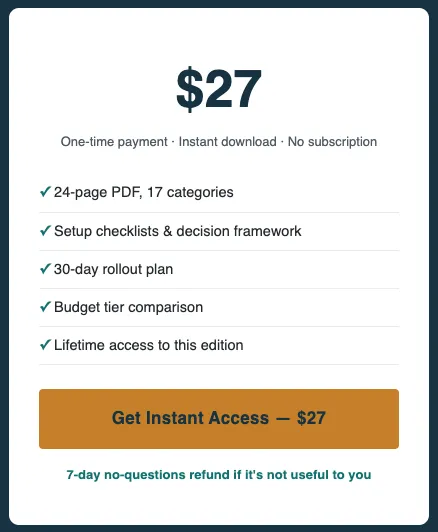
17 fully vetted categories
CRM, accounting, email marketing, AI tools, automation, scheduling,
e-signatures, website builders, local SEO, and more
Setup checklists
3–5 step quick-starts for every category — go from reading to running the same day
30-day rollout plan
The exact order to set everything up without burning a weekend
30-day rollout plan
The exact order to set everything up without burning a weekend
Decision framework
Who each tool is actually for, so you stop guessing and pick right the first time
"Watch out for" warnings
The gotchas and fine print that cost people time or money later
3-tier budget map
$0/mo, ~$50/mo, and ~$200/mo stacks so you know what's next before you need it
Get the 2026 Edition
Everything, delivered as an instant-download PDF you can start using today.
Tools that most owners pick wrong, and it's costing them $15–20/mo more than they need to — this pays for itself in the first month,

Who's This Perfect For
BUSINESS OWNERS
AGENCIES
CREATORS
INFLUENCERS
COACHES
TRAINERS
YOUTUBERS
SAASPRENEURS
AFFILIATES
Testimonials


Jasmine Richards

I upgraded and had Digital Legacy build my custom site design and boosted my visibility. They nailed it! Professional, creative, and truly transformative! Highly recommend.

Monica Chandler
Tried various "free" services before and ended up getting suck into paying a lot for what was supposed to be free. Digital Legacy Network actually delivers results with solid and reliable information. Worth checking out.

Thomas Krazinski
Chose Digital Legacy for ongoing site support. Quite straightforward, reliable. No fuss, they handle everything smoothly. Makes my life easier, really.
FAQs
Got Questions? Find Answers to Our Most Common Queries Below!
What free tools do small businesses actually need in 2026?
At minimum: a CRM to track leads and customers, accounting/invoicing software, an email marketing tool, a way to get found locally (Google Business Profile), and at least one AI tool for drafting content. The Small Business Free Toolkit covers these plus 12 more categories — including automation, e-signatures, and website builders — with a current, verified free option for each.
Are free business tools really free — or is there a catch?
They're genuinely free at the tier most small businesses need, but every tool has limits (user caps, contact caps, storage caps) and those limits change often. This guide lists the current 2026 free-tier terms for each tool, plus the specific point where you'd actually need to upgrade — so there are no surprises.
How is this different from free "best tools for small business" blog posts?
Most free-tool roundups are written once, never updated, and padded with tools that quietly went paid years ago. This guide was personally researched and verified in 2026, and goes beyond a link list with a decision framework (which tool fits your stage of business), setup checklists, and a 30-day rollout plan — the parts a blog post skips.
Do I need any technical skills to set up these free small business tools?
No. Every category includes a plain-language, 3–5 step setup checklist, so you can go from reading to actually running the tool the same day — no IT background or software experience required.
How much money can switching to free small business tools save me?
Most small businesses overpay by picking a paid tool before testing whether a free one would've covered their needs. The guide's 3-tier budget map shows exactly what a $0/mo, ~$50/mo, and ~$200/mo stack looks like, so you only pay for an upgrade once you've actually outgrown the free tier — not before.
What if I'd rather have someone set this up for me instead of doing it myself?
That's available too. If you'd rather hand off setup entirely, we also offer a done-for-you setup service, where every tool in this guide is created and connected inside your own accounts for you, with a walkthrough call included.